LET'S MEET ONLINE

LET'S MEET ONLINE! Call (512)560-2609 or email helpimnotageek@gmail.com and set up a time for a session. It works really well. We talk on the phone while I see your screen.
Showing posts with label profile. Show all posts

Thursday, January 24, 2013

Facebook-Constantly Changing

I guess Facebook has to keep changing in order to be responsive to all of their customers. It can be frustrating to think that all your privacy settings are set up and then to find out that Facebook has changed around how it works. Recently, it seems to me that they have been trying to figure out how to make your experience using Facebook more secure without losing all of the possibilities for networking that is the central purpose of the program.

I just read an article from USA Today (a paper that I usually do not take too seriously) at 
http://www.usatoday.com/story/tech/columnist/komando/2013/01/18/kim-komando-facebook-settings/1827413/ 
It was sent to me by a friend and the article did have several good recommendations. One overall suggestion is that it is good to check your privacy settings every once in a while to be sure they are how you want them to be. 

Facebook has added a new link to the right of your name at the top that looks like a lock with three lines next to it. When you click on it and the window opens up you can answer three questions. Who can see my stuff?, Who can contact me? and How do I stop someone from bothering me? Under these three questions is the link to See More Settings. When you click this it will bring you to a place where you can go into each one of your privacy setting areas and make changes. To make a change to them you click on the EDIT link, type in your changes, and then close the window. 


There is also a link here for looking at your own profile so you can see the way it looks to someone else who comes to your page. That is really helpful because you can get a feel for what people are seeing about you and decide whether you want to be more private or more public. 

To get there go to your privacy settings and look for the words "view as" in this view you will be able to see what people coming to your page see and also check if it is different for the public, your friends and friends of friends.

I suggest you take some time to click through these things and see what you think about the way your Facebook is set up. If this does not make sense to you or you have more questions please do add them as comments to this post and I will get back to them.


Thursday, September 1, 2011

Setting up your Facebook Profile

Your Facebook profile is important because it is what other people see when they come to your page. If you have set your privacy settings they only see what you have allowed, but the people you have given permission to will see your profile.

To get there you click on the word "profile" on the right of the top bar. Now on the top right you will have a choice to EDIT or VIEW your profile. VIEW allows you to see what other people see of your profile so that you can change your privacy settings if you want to.

When you click on Edit Profile you have the chance to change lots of things about your profile.

Basic Information-This is pretty straight forward and has your name, location and statement.

Profile Picture-This is where you can upload a picture from your computer that you want to use for your profile picture. Most people put pictures of themselves on Facebook, but you can put up any picture that you would like to represent you. You can also take a picture if you have a camera on your computer and use that. When you have uploaded a picture click on Edit thumbnail and you will be able to adjust what part of the picture shows up in your profile.

Friends and Family, Education and Work, Philosophy, Arts and Entertainment, Sports, Activities and Interests and Contact Information are all optional. You do not have to fill this all in if you do not want to. Ads on Facebook are targeted and so you will get ads that are closer to your interests if you do fill this in.

For example in my profile it says I am a teacher and so I get an ad about Autism. The ads change every time you go in.


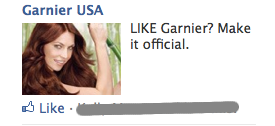
Sometimes the ads relate to things that your friends or family "like". This means that on a page (like I'm not a geek.com) someone has clicked the hand to say that they like it. You will be notified about things your friends like because the company thinks you probably will like it also.

All of this information is optional. Some people do not like to fill it in because they do not trust Facebook or others to use the information wisely. Others put lots of information into their profile because they want visitors to know about them.

SECURITY STORY
Recently I looked at my address book and noticed that everyone who is one of my Facebook Friends now has a Facebook webpage linked to them. I was shocked. I did not put that information in there. I am sure that Facebook decided it was a fast way for me to get to my friend's profiles and so they just added them. They may have announced this somewhere, but I don't remember seeing it. It bothers me because I would not like someone writing extra stuff in my paper address book. It is private. I think of my digital address book the same way. It is spooky to know that they can access it that way.