LET'S MEET ONLINE

LET'S MEET ONLINE! Call (512)560-2609 or email helpimnotageek@gmail.com and set up a time for a session. It works really well. We talk on the phone while I see your screen.
Showing posts with label smart phone. Show all posts

Tuesday, August 27, 2013

Finding a Perfect Phone

The market for a new cell phone is daunting. There is not one best solution for everyone one. This article is a list of questions that you can ask to help you narrow down what type of cell phone to look for with a few suggestions of each one.


  • What type of phone do I want? Smart Phone vs. Not so Smart Phone (Basic Phone): Many people who have older flip phones feel pressured to upgrade to Smart Phones. Everyone seems to have them and it seems embarrassing somehow to flip your phone open in order to call. Why should a person switch phone types?

  • I think that the most important reason might be the many features that the SmartPhone has that are easier to access than on the flip (or earlier) phone. Here are some of the features that might make you want to switch:

      • Camera - if this is important to you check the quality of the camera. You want at least 5 megapixels.
      • Map and GPS
      • Possibility to do email and chat easily
      • listen to radio, pandora, podcasts
      • stop watch, alarm clock, timer
      • weather
      • download other apps 
      • contacts - I always have them with me to remind me of someone's address when I forgot to look ahead of driving. I can also click the address and it opens up in the map!
        •  some I use regularly: flashlight, DMD (360 degree panorama camera), angry birds game, grocery IQ (keeps my grocery list), Yelp (reviews of restaurants), Facebook (good while waiting in a Dr's office or some other place). 
        • some I use occasionally, but am glad I have: twitter, fandango to find movies and buy tickets, register-works with my phone to make it a cash register, calculator turns my phone into a calculator, inigma allows me to read QR codes, Google Earth, Nasa, etc...
  • Do I want to change carriers? 
  • Be sure to check first what phones are carried by each company. They all

    have different possibilities. If you have a plan that connects you for free with family members using the same company you may not want to change. If you are in the middle of a 2 year contract you need to find out how much it will cost to get out of the contract.


  • What size of phone do I want?
  • Some phones have larger screens which are easy to see (Samsung Galaxy series), but they are a bit larger and may not fit in your pocket or where ever you are used to keeping your phone. Basic cell phones are the smallest ones, but may not have the features you are wanting. It is a good idea to try out different phones to see how you like the touch screen if you have never used one. They tend to be more sensitive to wet or dry fingers.  They are difficult to use for people who have issues with small motor movements. For some people they are easier to use than a basic phone especially for things like taking pictures.

  • Do I want WiFi?
  • Smart Phones can communicate just like a basic phone using connections
    with the cell phone towers OR they can use WiFi if you have it in your home, in coffee shops, or other places that have WiFi. The benefit of WiFi use for your Smart Phone is that when you use the Cell Phone towers for searching the Internet and other data functions it uses up the amount you are paying for your data plan. My plan began by giving me 200 mb and I kept using more than that. When I used more they charged me $15 for every increment of space used.  When I am in a location with WiFi I make sure to get online (SETTINGS>WiFi>choose a network and put in the password). That way I use less Data space.
  • What type of keyboard do I want?
  • Basic phones use the letters on the number pad when you want to text something. For example, 1 is abc, so if you want a c you press 1 three times. There are also basic phones that have a full keyboard that slides out and has small buttons. Smart Phones have full keyboards which most people use with their thumbs to type messages. If you want to use your phone as a phone and nothing else this does not apply to you. If you text along with talking on the phone a full keyboard can be helpful.
  • How much do I want to spend?
  • There are so many variations of the cost of cell phones that I cannot even go into it. SmartPhones will cost a bit more for the phone and then the monthly service is more. They also require you to pay for a data plan every month even though you may not use it. The data plan covers anything that uses the Internet or email rather than basic phone calling. Another possibility is to get a "pay as you go" phone where you pay ahead of time a month or so at a time instead of signing a 2 year agreement. This concern will vary from person to person. If you do not need or want the extra features of a Smart Phone you should not feel pressured into getting one. The cost is much higher.
  • Does battery life matter?
  • Different phones have longer and shorter battery lives. The length of battery life is also dependent on what you are doing with the phone. The battery goes down fast on certain programs that are power hogs. One example is finding your location. If you are using the Map feature and getting directions from the phone you will find the battery running out. Another power hog is watching YouTube or DVDs. 
This article has a chart of different cell phones and how long they keep power if they are just used for calling and talking. http://reviews.cnet.com/2719-11288_7-290-1.html

Some Resources

I used some of these websites for guidance as I wrote. They might be helpful for you to look at directly.

http://cellphones.about.com/od/buyersguides/qt/best_cell_phone.htm - ABOUT.COM has a list of questions that lead to suggestions. This list of phones may be outdated, but the questions can be helpful.

http://www.pcmag.com/article2/0,2817,2347798,00.asp  - PC Magazine offers a more up to date list which is mostly about SmartPhones. At the end of the article are links to more specific articles on different types of phones and different carriers.

http://www.consumerreports.org/cro/cell-phones-services.htm - Consumer Reports is always a good place to look for info before purchasing. You must register to get some of the information.

http://www.trustedreviews.com/best-smartphone_round-up#disqus_thread - If you want a Smart Phone this is a good summary of the different phones. It is written for a British audience, so it uses Pounds rather than dollars, but the descriptions are helpful.

Monday, June 3, 2013

Pinterest, Doodle and Instagram

Every day there are more and more Web 2.0 sites showing up that solve various problems in our lives. I assume that some of them do not get used and so they disappear after a while and others take off and become favorites. Today I am going to review three of them that seem to have made it and are well-liked and used by many people.


Probably the most popular of sites is Pinterest. Here is the description from their website:"Pinterest is a tool for collecting and organizing the things you love. Browse boards created by others to discover new things and be inspired by people who share your interests. People use boards to plan their trips, decorate their homes, and share their favorite recipes."


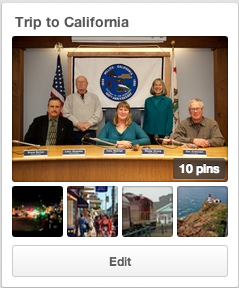
It is really a way of bookmarking websites that is very visual. You are keeping a collection of PICTURES of different webpages. You can share your "pins" or keep them private. It is easy to go back to something you have pinned and look at it later. I am going to start a Board with sites relating to a coming trip to California.

First of all I logged into Pinterest. I think the one thing that has made all of these sites possible is the ability to keep track of users by making them log in. Because you are logged in you can also keep your "Boards" (collections of things that you have pinned) private or share them with only certain people.


What makes Pinterest easy is the Pin it marker on the Browser. It shows up no matter what website I go to and in order to save a site I just click on the P! In order to get mine I had to go to the Chrome store because I use Chrome. There are instructions for how to get one no matter what browser you are using.


After logging in I created a Board called Trip to California I spent some time searching sites relating to the trip I will be taking. At each site that I want to save I click on the P on my browser to save the site. Pinterest offers me several pictures from the website to use as the one that will show when the Board is viewed. I click on the one I want and then it shows me a list of my boards and I tell the program which Board I want to add it to.

Some of the best uses I have heard of for this site involve planning the visual part of events like weddings or DIY projects. It is great to have a picture of each of the things that you are interested in after you have searched. Sometimes the words describing the site do not help you remember.

If you want to see boards you can just search for "pinterest dogs" or whatever interests you. The first site returned should take you to Pinterest pins on that subject. It is a fun way to search for something you are interested in.


Doodle is one of the most helpful sites that I have ever used and you do not even have to log in to use the site, but if you do log in there are more things that you can do. It is a site created for scheduling a group.


With any group it is extremely difficult to get everyone together and find out what is the best common date and tme for the next meeting. Doodle solves that problem. Whoever is in charge of the meeting creates the Doodle and then mails a link out to all of the others who are involved in that meeting asking them to designate what times they are available. If the person in charge of the meeting puts down 5 or 6 times that they can meet then each person is able to check ALL of the times that they can meet.


As each person confirms the meeting everyone can see what the results are. Then all the person in charge of the meeting has to do is to look at Doodle to see what is the best date for the meeting (when they most people can be there). They can then send out this information to the group.


Finally, Instagram is a fun way to send photos to people or to Facebook and other places easily. There is no need to attach something to an email.
Instagram is different than the sites above. 


It is an app that you can get on your iPad, iPhone, or other Smart Phone. First you need to download the free app from the app store or the Google store for the Android version.

After that all you do is take a picture with your Smart Phone or tablet. The picture shows up and you can edit it automatically. I just play with this until it looks the way that I want it to. When it is ready click NEXT and fill in any of the information. You can click Add People if you want to put markers on the picture so that people can see who is in it by rolling their mouse over the picture.

Then you can decide who you want to share it with. It can be posted to Facebook, put on Twitter, Sent in your email, sent to Tumblr, Flickr or Foursquare automatically. When you click share the photo is automatically shared. You will still have a copy saved in your instagram profile also. You can follow other Instagram users to see all of the photos that they post.

You can use keywords with hashtags in Instagram. Those are words that have # in front of them. You can put important describing words about your pictures with the # mark in front of them in order to help people searching that word to find them.

To search go to the symbol on the bottom of the screen that looks like the compass rose on a map (showing West, North, East, South) and click on it. It will take you to a screen where you can type in what you want to see. You can search for a specific user OR for a hashtag. I searched for #cats and it returned 6,795,304 photos! I guess I need to narrow my terms next time! Also, when I looked at them very few were actually cats although they were not offensive photos.